
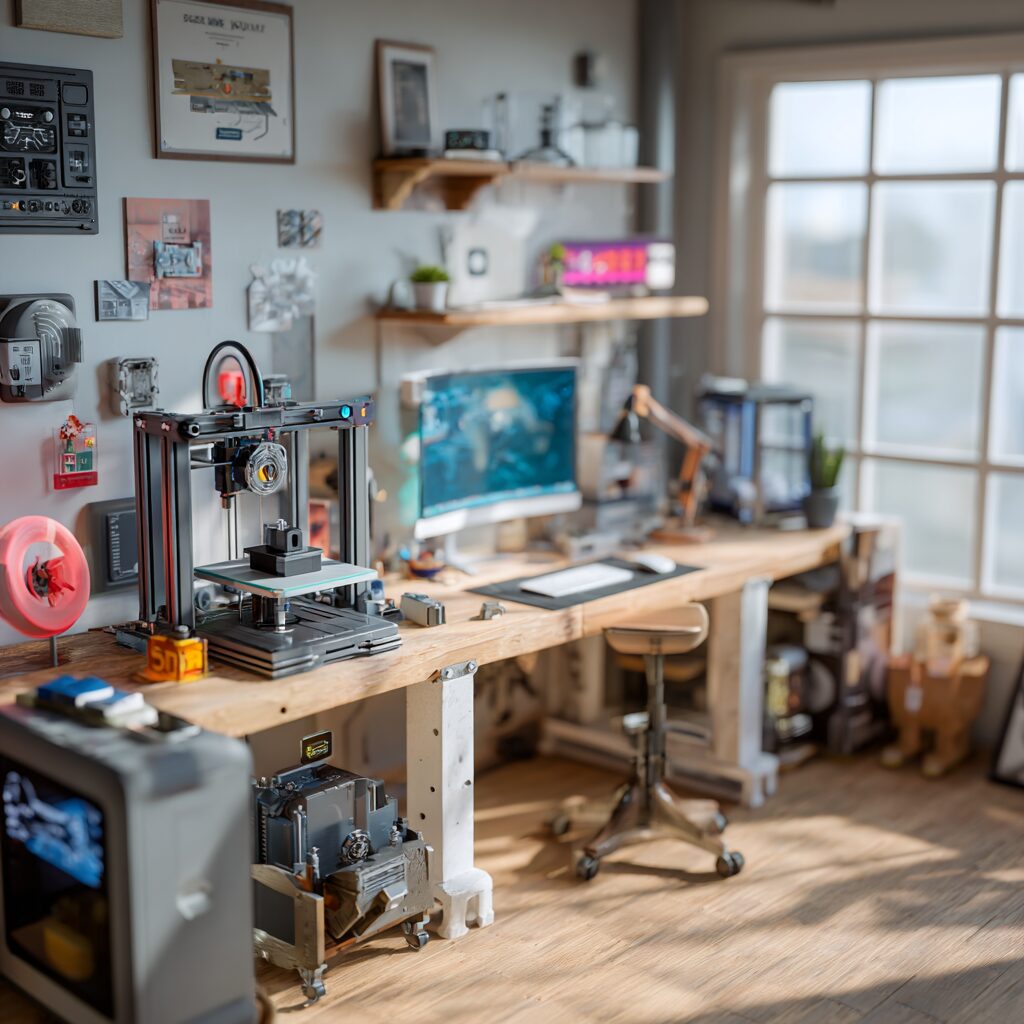
The Ultimate Guide to Setting Up the Perfect 3D Printing Workspace
Pro Tips from a Production Print Farm to Your Home Workshop
If you’re diving into 3D printing—whether you’re running a full production print farm or setting up a single desktop machine—there’s one truth every maker learns quickly:
A great 3D printing setup doesn’t happen by accident. It’s engineered.
After assembling countless 3D printers and optimizing print farms designed to run 24/7, I’ve discovered that success in 3D printing comes down to one thing:
👉 Having a clean, efficient, well-organized workspace.
This guide breaks down 9 essential tips to help you build the ideal 3D printing station—maximizing print quality, uptime, convenience, and creativity.
9 Tips for a Killer 3D Printing Setup
🔧 1. Storage Is Everything: The Foundation of a Clean Workspace
Whether you’re printing for fun or running a small business, 3D printing generates stuff—tools, filament, spare parts, failed prints, adhesives, cutters, nozzles, screws, and more.
That’s why the first step of any great 3D printing setup is storage.
✔ Drawers > Cabinet Doors
Use drawers whenever possible.
Cabinet doors hide clutter, create dark “lost item caves,” and bury things you need.
Drawers keep everything visible at a glance—no digging, no frustration.
Options that work:
-
Modular tool cabinets
-
Rolling drawer towers
-
Converted office desks
-
Industrial shelving with drawers
Rule #1: If everything has a home, nothing becomes a mess.
🪵 2. Use a Stable Work Surface (And Keep Extra Space Clear)
Your printers need a solid, non-wobbly surface. A shaky table = bad prints.
Good options include:
-
Butcher block countertops
-
Solid wood benches
-
Metal industrial tables
-
Heavy desks
But here’s the crucial part:
✔ Keep open workspace near your printers.
Even if two printers fit, don’t cram them together.
You need surface area for:
-
Build plates
-
Maintenance tools
-
Support removal
-
Parts staging
-
Calibration
-
Experiments
A little empty space = a lot of sanity.
🔧 3. Rear Access Makes Maintenance 100x Easier
Every printer—Bambu, Creality, Prusa, QIDI, Anycubic—needs occasional rear access for:
-
Unclogging
-
Maintenance
-
Cable checks
-
Light repairs
-
Filament routing
Best solutions:
-
Heavy-duty drawer slides (printer pulls out toward you)
-
Benches on wheels
-
Printers on rolling carts
If you’ve ever tried reaching the back of an enclosed printer wedged in a corner… you know why this matters.
🧵 4. Filament Drying: The Secret to Better Prints
Wet filament =
-
stringing
-
popping
-
inconsistent extrusion
-
weak layer adhesion
-
ugly surfaces
A good filament dryer is a game-changer.
Best options:
-
Bambu AMS (built-in drying)
-
StatPro filament dryer (gets below 10% humidity—exceptional)
-
Sunlu filament dryers (budget friendly)
Avoid camera/electronics dryers—they rarely drop below 30% RH.
If you print nylon, ASA, TPU, CF-filled filaments, or polycarbonate, a dedicated dryer is mandatory.
🔋 5. Use a UPS to Protect Prints from Power Blips
A brief power flicker is enough to ruin a 12-hour print.
A small uninterruptible power supply (UPS) eliminates that risk.
What it protects against:
-
Momentary outages
-
Flickering power
-
Brief voltage drops
It won’t save you during long blackouts, but it will prevent the #1 cause of ruined prints at home.
⚡ 6. Be Smart About Power Loads
Most consumer 3D printers draw ~300 watts, but they spike much higher during heat-up.
If you run several printers on one circuit:
-
stagger start times
-
avoid turning them all on at once
-
consider splitting them across circuits
Overloading a breaker mid-print is a heartbreak nobody deserves.
🗑️ 7. Plan for Purge Waste (“Poops”) with a Trash Setup
Modern printers—especially Bambu Lab machines—produce purge waste.
On a print farm, letting it fall to the floor is fine.
In your home? Not so much.
Best solutions:
-
A custom “poop chute” behind the printer
-
A dedicated purge bucket
-
A pull-out trash bin in your cabinet
-
A small trash can beside your station
This keeps your space clean—and cleanup easy.
🧰 8. Keep a Dedicated Set of 3D Printing Tools
You’ll always need:
-
Scrapers
-
Flush cutters
-
Box cutters
-
Hex keys
-
Screwdrivers
-
Bed adhesive
-
Nozzle cleaning tools
Here’s the trick:
Buy a dedicated toolkit exclusively for your 3D printing station.
Don’t mix your workshop tools with your printer tools.
When tools have a permanent home, they don’t magically “disappear.”
Options include:
-
Pegboards
-
Drawer organizers
-
3D-printed holders (print your setup!)
Organization fuels creativity.
🌬️ 9. Monitor Air Quality (Especially Indoors)
Some materials emit VOCs or particulates.
If your printers are inside your home, use a:
-
low-cost air quality monitor
-
small HEPA purifier
-
ventilation fan
PLA and PETG are usually safe.
ABS and ASA can emit noticeable VOCs.
Air quality monitoring = peace of mind.
🎨 Bonus: Make Your Workspace Beautiful
A functional workspace is good.
A functional and inspiring workspace is life-changing.
You’ll spend countless hours printing, tinkering, learning, improving.
Make the space somewhere you want to be:
-
LED lighting
-
Display shelves
-
Wall art
-
Past project displays
-
A clean aesthetic
A beautiful workspace increases your creativity, productivity, and enjoyment of the hobby.
🎯 Conclusion: The 9 Rules for the Perfect 3D Printing Setup
A great 3D printing workspace doesn’t require expensive tools or fancy furniture—it requires intention.
Recap of the essentials:
-
Use deep storage and drawers
-
Choose a stable workbench
-
Allow rear access to machines
-
Dry your filament properly
-
Use a UPS to prevent failed prints
-
Manage electrical loads smartly
-
Keep purge waste under control
-
Maintain a dedicated toolset
-
Monitor air quality
If you implement these tips, you won’t just have a better 3D printing setup…
👉 You’ll enjoy 3D printing more, print better quality parts, and avoid most frustrations beginners face.

Crypto Rich ($RICH) CA: GfTtq35nXTBkKLrt1o6JtrN5gxxtzCeNqQpAFG7JiBq2
CryptoRich.io is a hub for bold crypto insights, high-conviction altcoin picks, and market-defying trading strategies – built for traders who don’t just ride the wave, but create it. It’s where meme culture meets smart money.